
LinkedIn outreach has moved past “send more connection requests”.
That old model still exists: build a list, load a sequence, nudge, wait. Volume gets noisy fast, and follow-up often gets messier than the sending.
A warm reply can sit in the wrong inbox. Someone loses the campaign context. HubSpot gets updated later, or never. By the time the sales team sees the thread, the useful moment has cooled down.
SHORT VERSION
The edge now isn’t just LinkedIn automation. It’s the operating layer around it: better targeting, a proper reply inbox, AI-assisted triage, human approval, and CRM follow-up that actually happens.
That’s why we’ve been building our LinkedIn outreach model around orchestration, not just sequences. The sequence matters, but the value is usually won or lost after the reply comes in.
Why the old LinkedIn outreach playbook breaks
Weak LinkedIn outreach has a familiar smell. The message could’ve gone to almost anyone, the sender sounds too cheerful about a problem they barely understand, and the follow-up keeps tapping people on the shoulder after a soft no.
But the bigger issue is the operating rhythm behind it. A campaign can have a sensible audience and a decent opener, then still fall over because replies come back across sender accounts, notes sit in a spreadsheet, and nobody owns the next step.
That’s the sales follow-up gap AI can actually help with. Not by pretending to be the salesperson. By keeping context, ownership and next steps visible.
What a modern LinkedIn outreach stack needs
For us, a modern LinkedIn outreach stack needs five parts working together.
Use the AI Prospecting Playbook as a readiness check for your ICP, buying signals, HubSpot context and human review before launching the sequence.
None of this needs to feel flashy. Prospects should see respectful outreach and timely follow-up. The team needs context, ownership and a clear next action.
Why we chose HeyReach
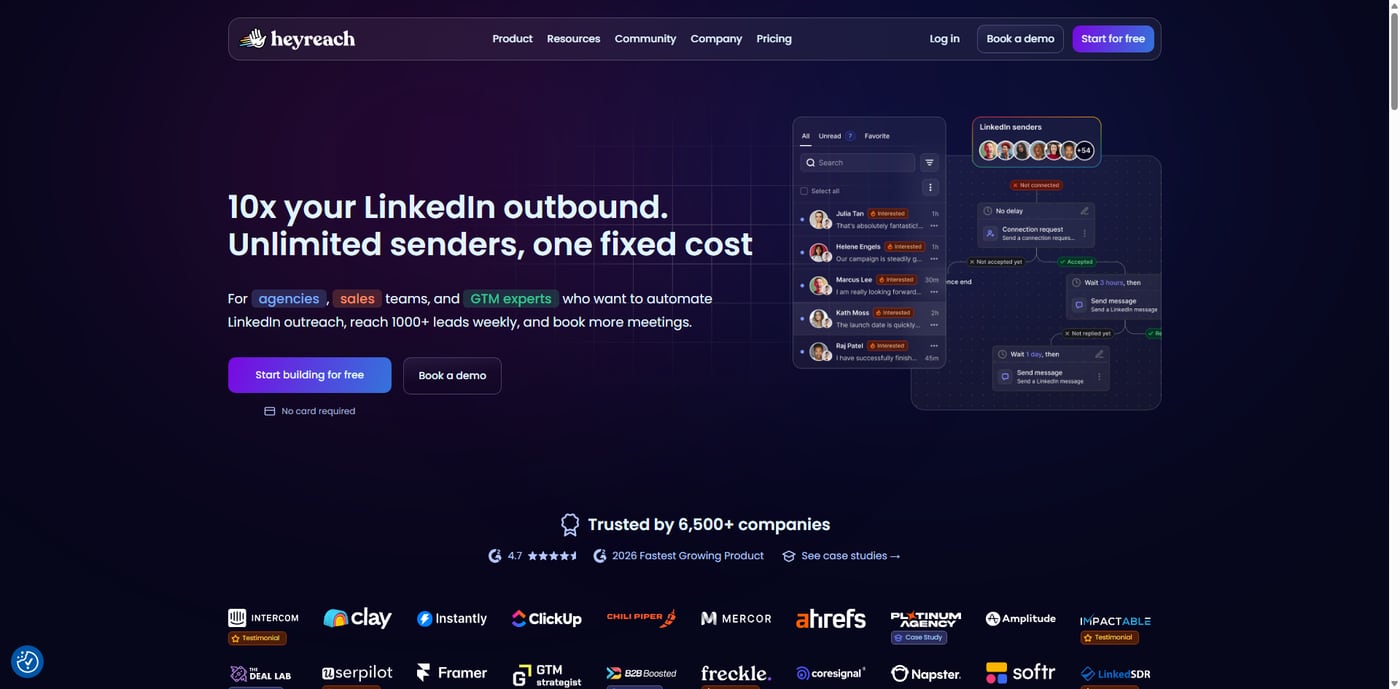
After looking at several LinkedIn outreach options, we chose HeyReach for our use case because it felt like a better fit for an agency operating model, not just a single-user sequencing tool.
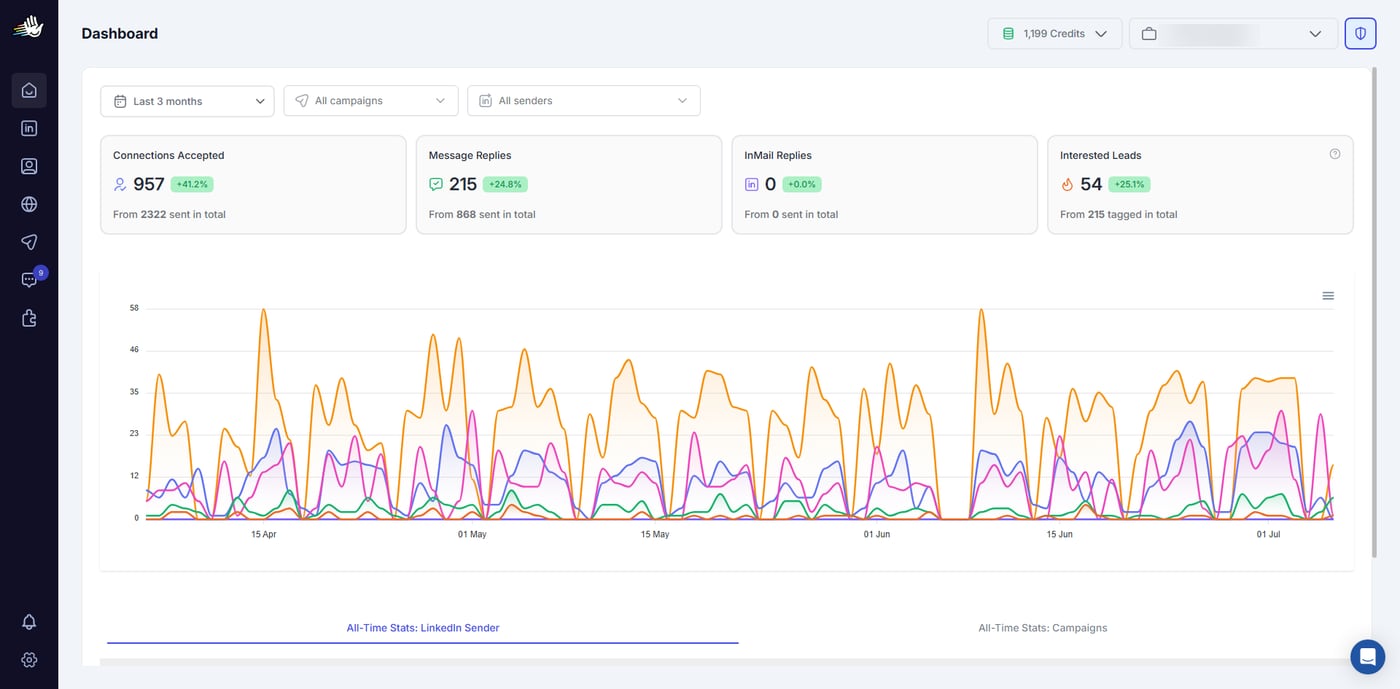
HeyReach positions itself publicly as a LinkedIn automation tool for agencies, sales teams and growth teams. That lines up with what mattered to us: multiple sender accounts, workspaces, campaigns that can be managed without living inside individual LinkedIn inboxes, and a unified place to see replies.
It also made more sense for scalable client outreach. We needed account visibility, sender separation, reply handling, tagging, API and webhook options, native integrations and enough structure around the campaign to avoid everything turning into spreadsheet theatre.
HeyReach is the LinkedIn outreach and inbox part of the workflow.
That wording matters. We don’t see HeyReach as the whole sales system, and we wouldn’t want any LinkedIn tool to be the whole sales system. What we liked is that it gives the LinkedIn layer a proper home, then leaves room for the surrounding operating model: automation, AI review, team visibility and CRM follow-up.
MINI-REVIEW
What we like about HeyReach is the combination of agency-friendly account management, a unified reply inbox, campaign control, API and webhook options, and MCP support. It can sit inside a broader process rather than forcing the whole sales motion to happen in one tool.
The caveat is important: it still needs good targeting, careful copy, clear consent and approval rules, and human judgement on replies. The safety model is a process, not a magic setting: sender separation, account visibility, tagging, classification, human approval gates and HubSpot follow-up all matter. Teams can go wrong if they treat it as magic automation. Used well, it’s a strong LinkedIn outreach layer. Used lazily, it’ll just help you create tidy-looking noise.
Why MCP support matters
The MCP piece is one of the reasons HeyReach stood out for us. Most LinkedIn outreach tools can run a sequence, but an AI-agent-friendly model needs reliable ways to inspect context, trigger workflows, read reply status and hand work back to humans without brittle browser automation.
HeyReach’s public MCP page talks about connecting tools like Claude, ChatGPT and other AI tools. It gives examples such as creating personalised messages, tagging replies by sentiment, segmenting CRM leads, pushing qualified leads into sequences, pulling live stats, auditing campaigns, archiving conversations to a CRM and filtering leads.
We’re careful with that. The point isn’t to let AI fire off LinkedIn messages on its own. The useful part is that HeyReach can be connected into the systems around it, so AI helps with context and routing while people still approve the next move.
How CLCK connects the moving parts
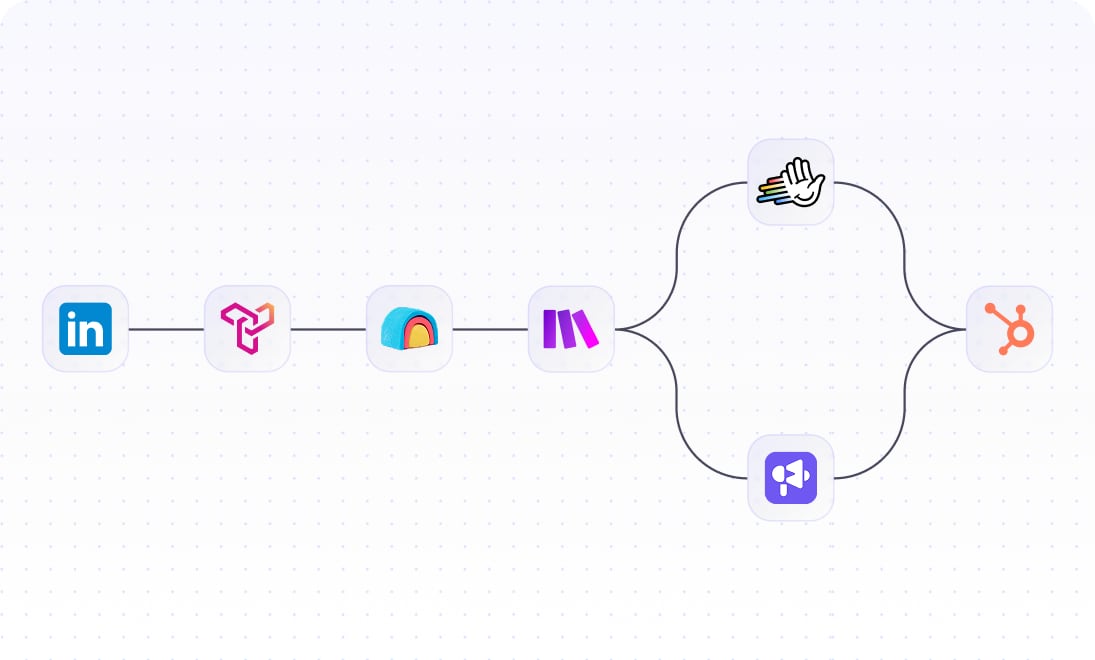
Here’s the practical shape. First, we prepare the target list and campaign context: audience, reason for outreach, exclusions, tone notes, qualification rules and handoff instructions. We keep client-specific settings in an internal registry and context layer, so the campaign doesn’t become a pile of disconnected lists and vibes.
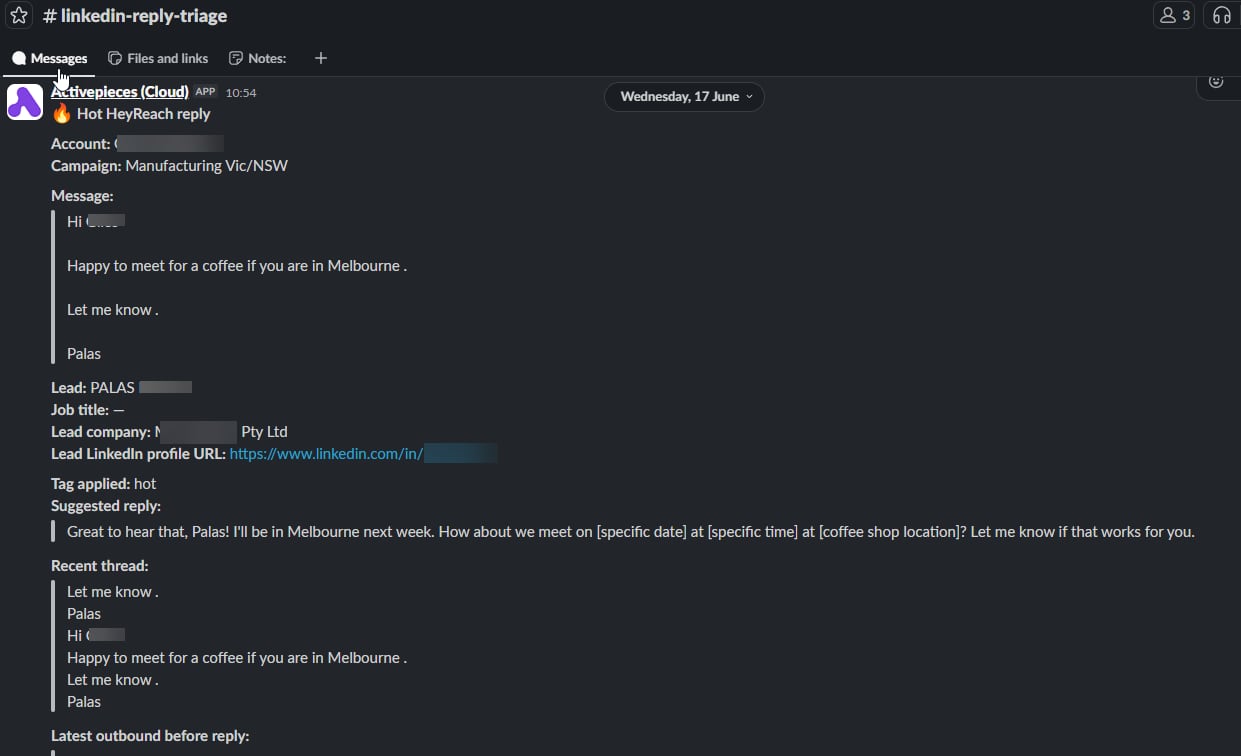
Then the LinkedIn sequence runs through HeyReach. A lead might receive a connection request, a short message sequence or another agreed LinkedIn step. When someone replies, ActivePieces moves the event into the right workflow, fetches the surrounding context and gives Arlo/Hermes enough information to read the reply properly.
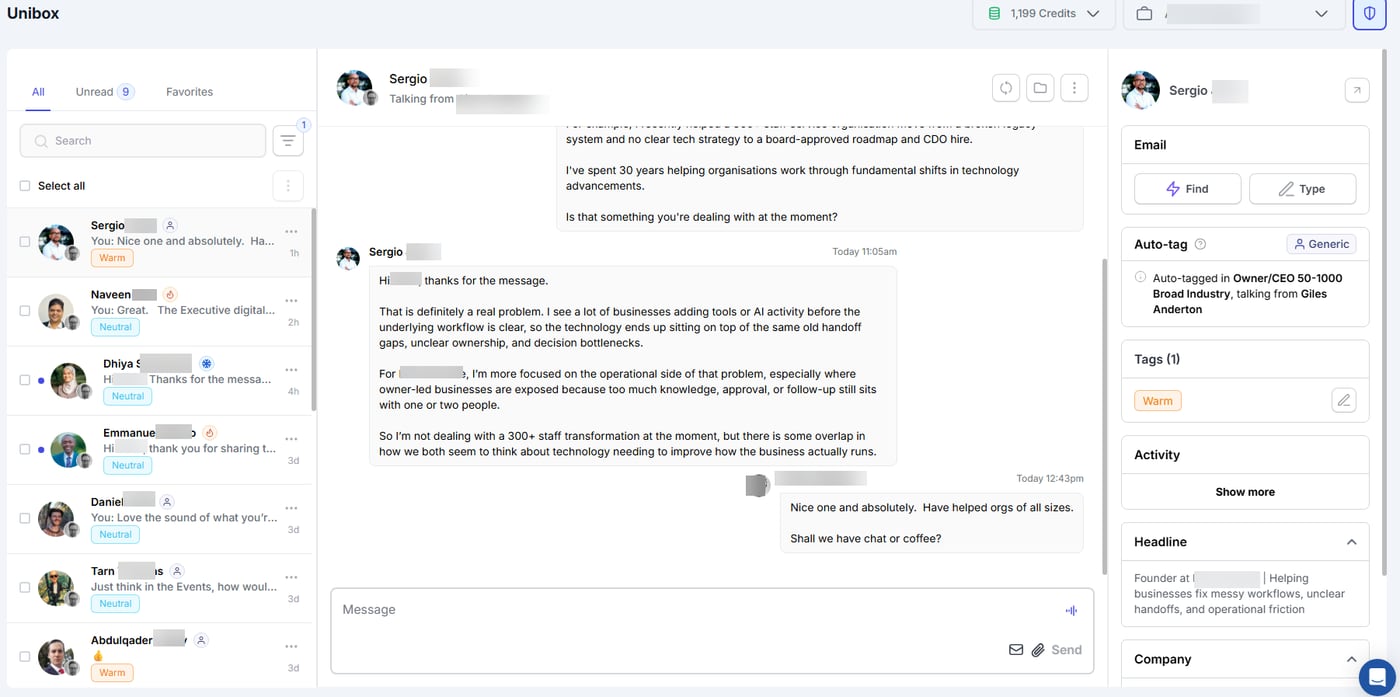
Arlo/Hermes then reviews the reply against the campaign context. It isn’t looking for one magic keyword. It’s trying to understand the reply in context.
- Is this a hot buying signal?
- Is it warm, but early?
- Is there an objection to handle?
- Is it a neutral acknowledgement?
- Is it a clear “not interested”?
- Is it an admin reply, referral or request for a different contact?
From there, the team gets a concise summary in Slack or Zulip: who replied, what the context is, how the reply was classified and what the recommended next step looks like.
HubSpot keeps the sales memory through notes, tasks, company context, lifecycle updates, deal signals or future follow-up dates. Then a human approves the next move, whether that means sending a draft, tweaking it, assigning it to sales, pausing the person or leaving it alone.
What AI agents can actually help with
This is where AI agents earn their keep: not by replacing the person writing the message, and definitely not by pretending to have a relationship they don’t have. The helpful jobs are much more practical:
- pulling campaign context into the reply review
- classifying replies as hot, warm, objection, neutral, not interested or admin
- spotting when a reply needs a human handoff
- drafting a possible response in the right tone
- suggesting the next HubSpot task or lifecycle update
- surfacing patterns across a campaign
It’s the same lesson we found while building an AI assistant inside our own business. Useful AI work often feels a bit boring from the outside: context retrieval, summarising, routing, reminders, classification and cleaner handoffs.
What humans still own
Humans still own the parts where taste, judgement and commercial sense matter: strategy, audience, offer, tone, reply approval, client relationship and the decision to move a conversation into sales.
This matters even more on LinkedIn because the channel feels personal. A clumsy automated message doesn’t only look like weak marketing. It reflects on the person whose profile sent it. So we’re building this as human-led outreach with AI-assisted operations.
Why orchestration beats automation theatre
More automation is easy to buy. Better follow-up takes more thought, but it’s where the value sits.
If LinkedIn outreach sits away from HubSpot, the sales team loses visibility. If replies aren’t classified, every conversation needs manual sorting. If AI sends replies without approval, quality and trust get risky fast.
The better model is orchestration. HeyReach manages the LinkedIn outreach and inbox layer. ActivePieces connects the workflow. Arlo/Hermes helps with context, classification, suggested next moves and draft replies. Slack or Zulip keeps the team in the loop. HubSpot stays the CRM source of truth.
That stack won’t make a weak offer good or fix poor targeting. What it can do is make sure the right replies get seen, understood and handled with care.
The takeaway
The edge isn’t sending more messages. It’s making sure the right conversations are understood, reviewed and followed up properly.
For our use case, HeyReach gives us a strong LinkedIn outreach and inbox layer. The real value comes when it’s connected to the rest of the sales process: ActivePieces for workflow glue, Arlo/Hermes for context and triage, Slack or Zulip for human review, and HubSpot for CRM follow-up.
A good LinkedIn outreach system should feel calm from the outside: respectful messages, sensible follow-up, clear ownership and HubSpot records people can trust. Behind the scenes, there can be plenty going on. The prospect doesn’t need to feel any of it.
Want to connect LinkedIn outreach with HubSpot properly?
If you’re using LinkedIn outreach, or thinking about it, CLCK can help you map the campaign flow, reply handling, HubSpot follow-up and the safe places for AI-assisted review. Book a LinkedIn assessment call.
Disclosure: the HeyReach link in this article is a referral link.