
A B2B service business can get more sales meetings without hiring salespeople by running a small, repeatable outbound system: a defined list of companies that fit, LinkedIn to build familiarity with the decision-makers, cold email to reach them directly, and a set routine for handling replies. The prospecting work a salesperson would do (finding the right accounts, starting conversations and following up) is handled by a written process, the right tools and, if you choose, an outside team. You or your senior people step in when someone wants to talk.
It works because in many service businesses the selling was never the bottleneck. The founder or principal is often the best person to sell the work. What they don't have is the time to find the right people and get a first reply every week. Systemise that part and the people who already win work get more conversations. What it doesn't remove is the need for someone at your end to answer interested replies quickly and run the meeting.
Why don't more meetings need more salespeople?
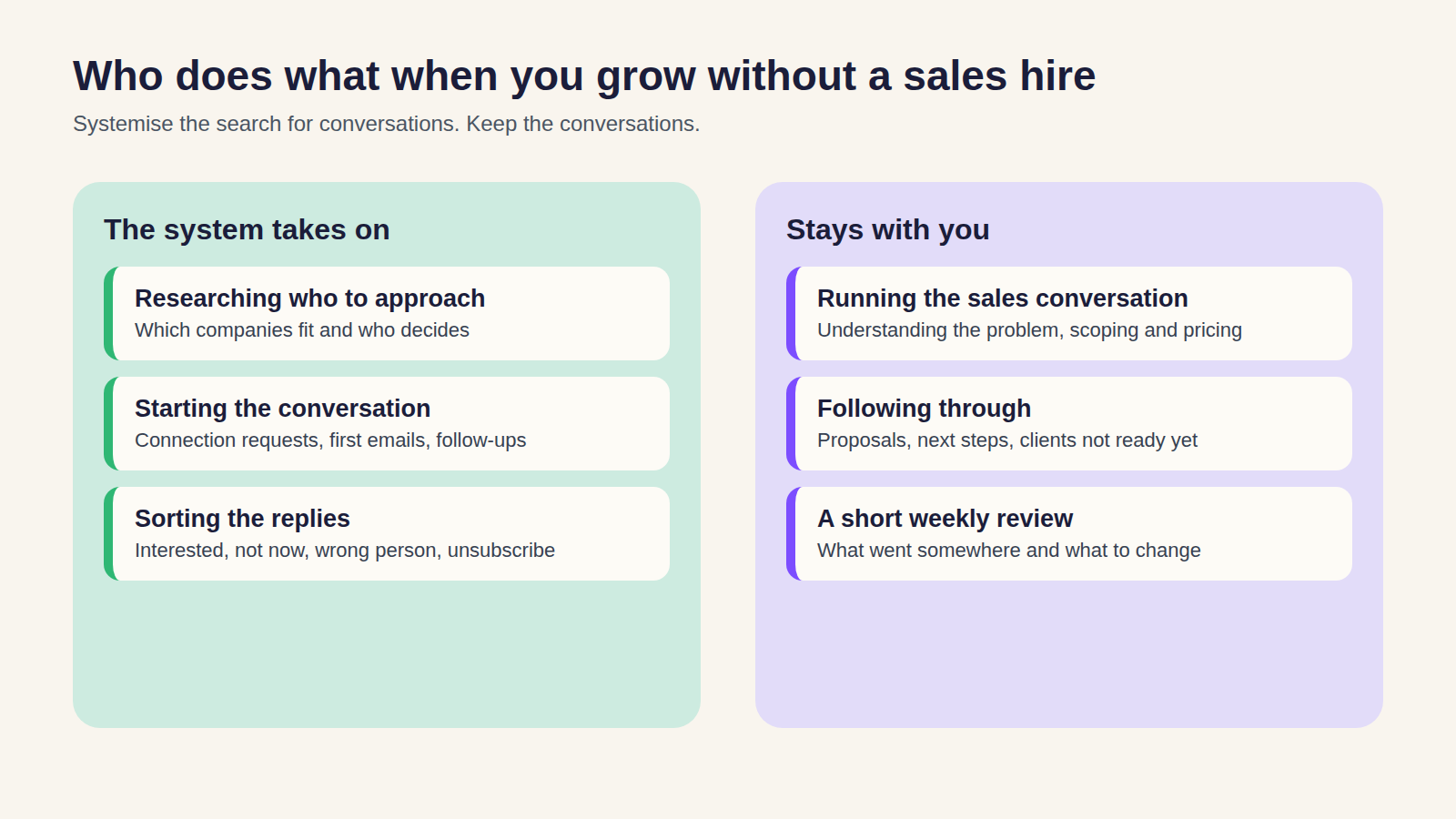
The first sales hire is usually meant to fix one problem: not enough conversations with the right clients. But a salesperson's week is a mix of jobs, and only some of them need a salesperson:
- Researching who to approach: which companies fit and who decides.
- Starting the conversation: the first message, the connection request, the follow-ups.
- Sorting the replies: interested, not now, wrong person, unsubscribe.
- Running the sales conversation: understanding the problem, scoping and pricing the work, building trust.
- Following through: proposals, next steps and the clients who weren't ready yet.
The first three are process work. They need consistency and a good brief more than sales talent, so a system, tools or an outside team can take them on. The last two are where your expertise matters. Buyers of services often want to hear from the person who'll do or oversee the work, so handing the sales conversation to a new hire can make it harder to win.
So the better question is how to make sure the people who already sell well spend their time in conversations rather than searching for them.
What does a repeatable outbound system look like?
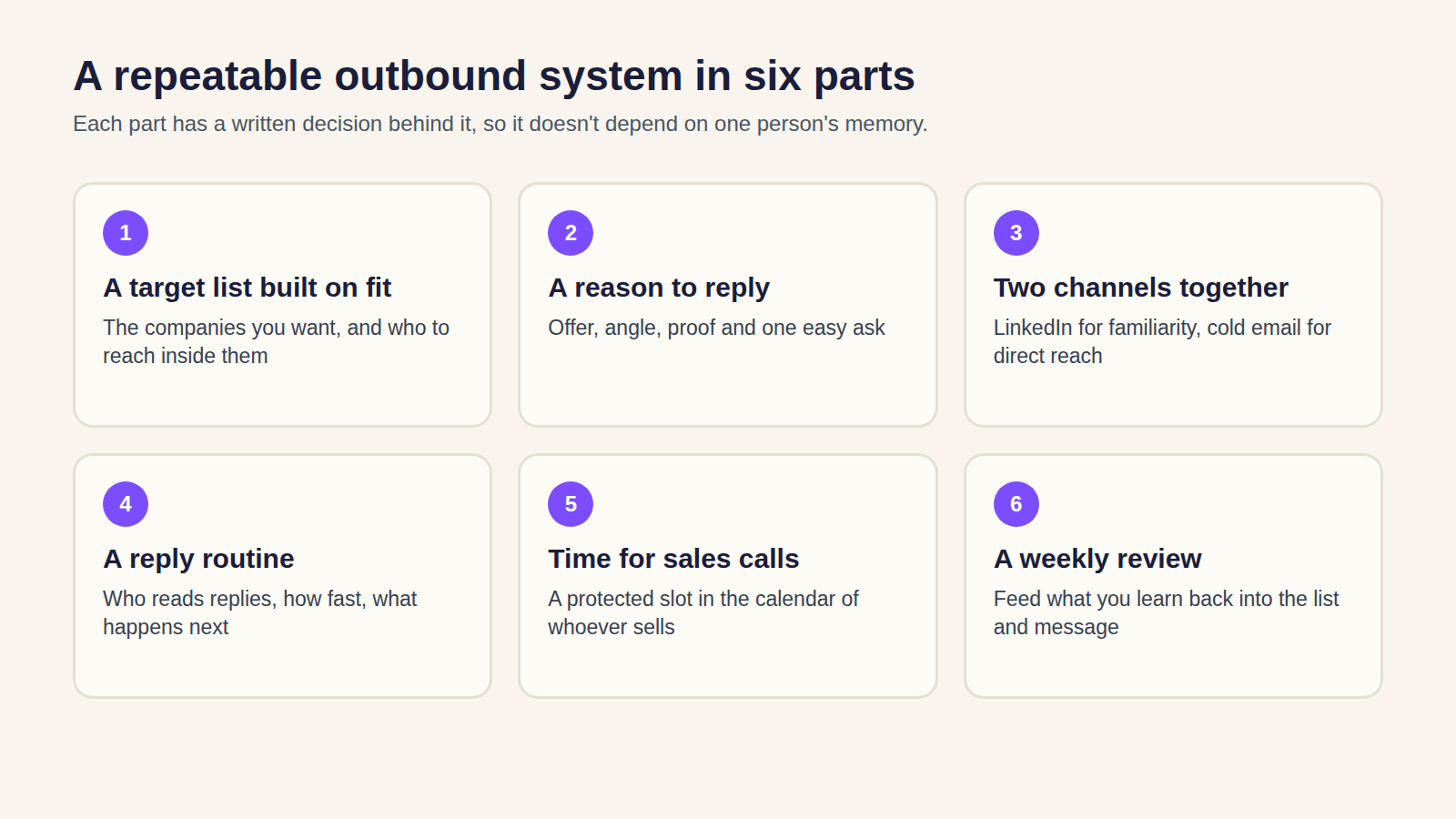
The system has six parts. Each one has a written decision behind it, so it doesn't depend on one person's memory.
- A target list built on fit. Which companies you want as clients, and which people inside them you need to reach.
- A reason to reply. The offer, the angle for each group of buyers, the proof you can use and a small, easy ask.
- Two channels working together. LinkedIn for familiarity, cold email for direct reach, both pointed at the same accounts.
- A reply routine. Who reads replies, how fast they respond and what happens to each kind of answer.
- A protected slot for sales calls. Time in the calendar of the person who takes the meetings.
- A short weekly review. What came in, what went somewhere, and what to change.
Step 1: Who should you contact?
Start with the clients you'd like more of, not with a database filter. Write down the company types, sizes and locations that fit, the roles that make or influence the decision, and the reasons a company belongs on the list, such as a recent change, a growth stage or a problem you solve well.
Then write down who comes off the list. In our B2B lead generation work, current customers, existing opportunities and do-not-contact records are removed before anything is sent. That one step saves a lot of awkward replies.
Keep the list small enough to do well. In one campaign we ran for a lead-management software business, the list was 338 contacts, rather than thousands of loosely matched names. It produced 37 interested replies, 15 booked meetings and four new clients within 40 days. That's one historical campaign, not a forecast, but it shows how far a focused list can go.
Agree what a good meeting looks like before you start, or you'll get meetings with people who were never going to buy. Our article on why outbound lead generation books unqualified meetings covers how to define one.
Step 2: What will you say, and why would they reply?
Most outreach fails at this step, usually because the buyer can't see a reason to respond.
Before anyone writes a sequence, agree four things:
- The offer. What you're inviting them to, in plain terms. A short conversation about a specific problem works better than "a chat about how we can help".
- The angle. Why this group of buyers should care now. A finance director and an operations manager at the same company need different reasons.
- The proof. Results, client types or examples you're allowed to mention, kept next to the claim they back up.
- The ask. One easy next step, such as a reply, a question answered or a short call.
Put those in one approved document. Whoever writes the messages, whether that's an assistant, an AI tool or an agency, adapts from it instead of starting from scratch. AI can apply a good message to different buyers, but it won't fix a weak offer, and a confident-sounding AI sentence can still be wrong. Read representative samples before anything goes out. Your name is on the message, so it needs to sound like you.
Step 3: How should LinkedIn and cold email work together?
LinkedIn and cold email do different jobs, so the system uses each for what it does well.
LinkedIn builds familiarity. For trust-led sales, buyers often check the founder's or expert's profile before they reply. A connection request and a short, specific message from the person they'd actually work with helps them recognise the name. Your profile needs to say who you help and why they should trust you, because that's where they'll look first.
Cold email gives you direct reach. It puts a specific message in front of the decision-maker, including people who rarely use LinkedIn, and gives you a way back into accounts that went quiet there.
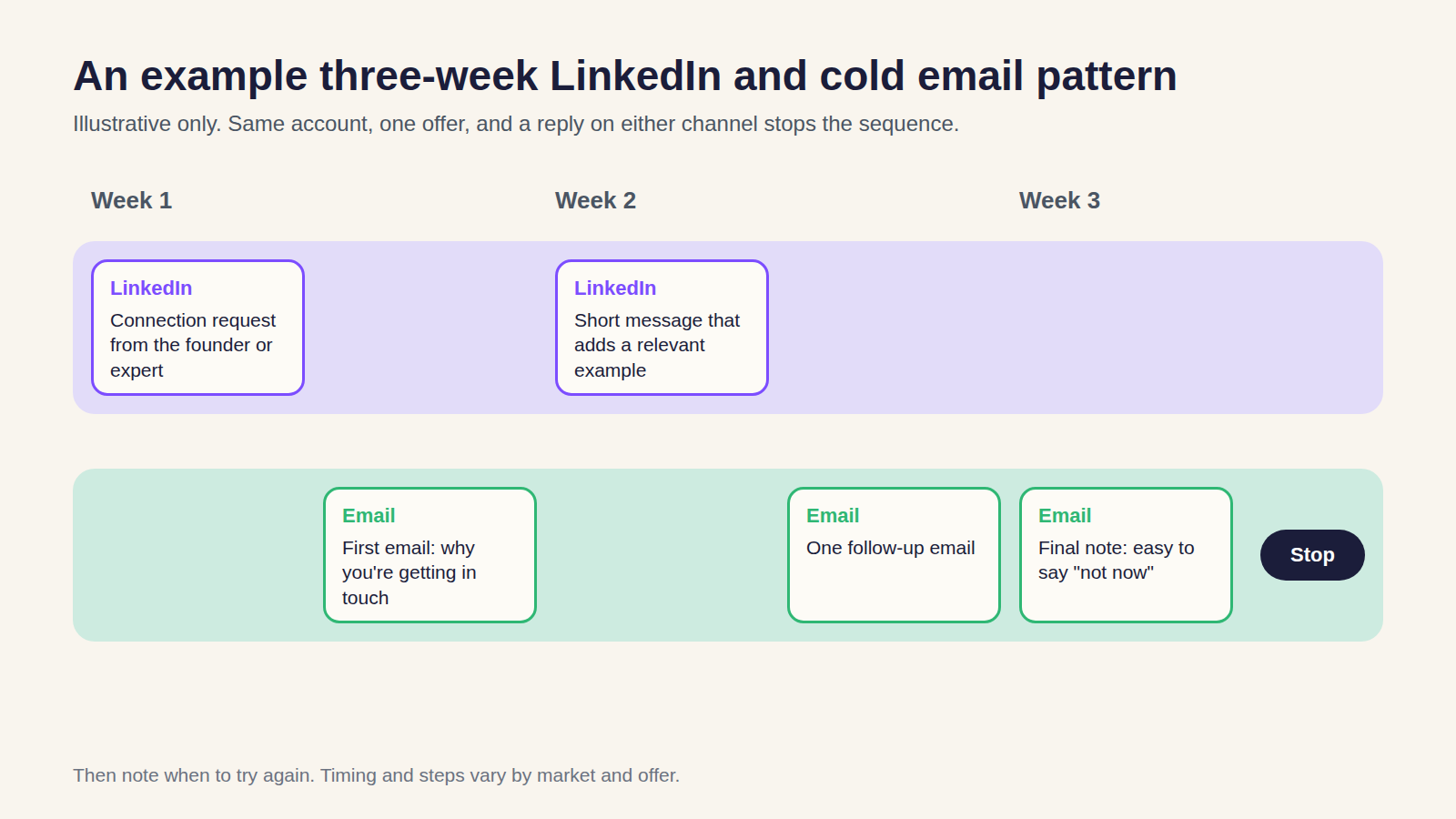
Both channels point at the same accounts, with one offer and one next step. Planned well, the channels don't double up. They're timed so each touch adds something, and a reply on either channel stops the sequence for that person.
Here's an illustrative three-week pattern for one decision-maker. It's an example of the shape, not a rule:
- Week 1: send a connection request from the founder's or expert's account. Send the first email a few days later, with the reason you're getting in touch.
- Week 2: if they've accepted, a brief LinkedIn message that adds something specific, such as a relevant example. One email follow-up.
- Week 3: a final short email that makes it easy to say "not now" or point you to the right person. Then stop, and note when to try again.
A few platform facts shape how you run this:
- LinkedIn limits invitations. Every member, free or Premium, is subject to invitation limits. Sending too many too quickly, or having many ignored or marked as spam, can get your account restricted, usually for about a week, and LinkedIn may restrict or suspend accounts it suspects of using automation tools to send excessive invitations. Basic (free) members can add a personalised note to only five connection requests a month; Premium members can personalise all of them.
- Cold email needs proper authentication. Google's sender guidelines require everyone sending to personal Gmail accounts to set up SPF or DKIM, and senders of more than 5,000 messages a day to set up SPF, DKIM and DMARC. Google also asks senders to keep spam complaint rates below 0.3%.
- Your main domain shouldn't carry the campaign. For managed cold email campaigns, we use separate sending domains and inboxes, warm them up gradually and monitor delivery. That separates the risk from your everyday email, but no honest provider can promise perfect inbox placement.
Not every business needs both channels from day one. If buyers need to trust your expertise first, LinkedIn often leads; if your market is well defined and reachable, cold email can carry more of the load. Our comparison of LinkedIn and cold email for B2B service businesses helps you choose, and hybrid outbound covers running both.
Step 4: Who handles the replies, and how fast?
This is where most of the meetings are won or lost. Outreach can create interest and the business can still waste it.
Decide these before the first message goes out:
- Who reads replies, across every inbox and LinkedIn account, every working day.
- How each kind of reply is handled. Interested replies get a response and, where they fit, a time to talk. Unclear replies get one question first. "Not now" gets a follow-up date. Wrong person gets a polite ask for the right one. Anyone who asks to unsubscribe comes off every list straight away.
- How fast you respond. Set a target your team can actually meet. An interested reply that waits days often goes cold.
- What the person taking the call sees. The original message, what they replied, why they fit and what they're expecting from the meeting.
- Where it's recorded. One place for replies, next steps and owners. That can be HubSpot, another CRM or, at a small scale, a well-kept shared pipeline, as long as everyone works from the same record.
A booked meeting is only worth something if the right person turns up expecting the right conversation. That's the gap between booking calls and winning clients.
Step 5: How much of your time does it take?
Less than a hire, but not none. Once the system is running, the founder or senior expert typically keeps four jobs:
- Approving the brief and messages at the start, and whenever the offer changes.
- Answering or reviewing interested replies that need your voice, ideally the same day.
- Taking the meetings and running the sales conversation.
- A short weekly review with whoever runs the outreach: which conversations went somewhere, which missed and what buyers said.
Everything else (list research, sending, follow-up, sorting replies and booking times) can sit with the process and the people running it.
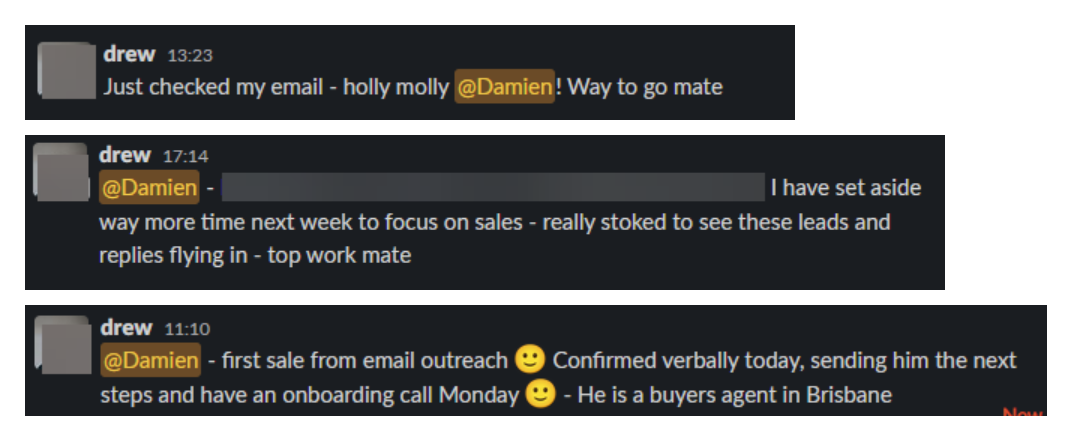
The change people notice is where their time goes. One client, Drew, whose digital-marketing business closed five new clients, reported his first sale from email outreach and then told us he'd "set aside way more time next week to focus on sales".
That's the trade: less time looking for conversations, more time having them. Make room in your calendar before the replies arrive.
Step 6: How do you know it's working?
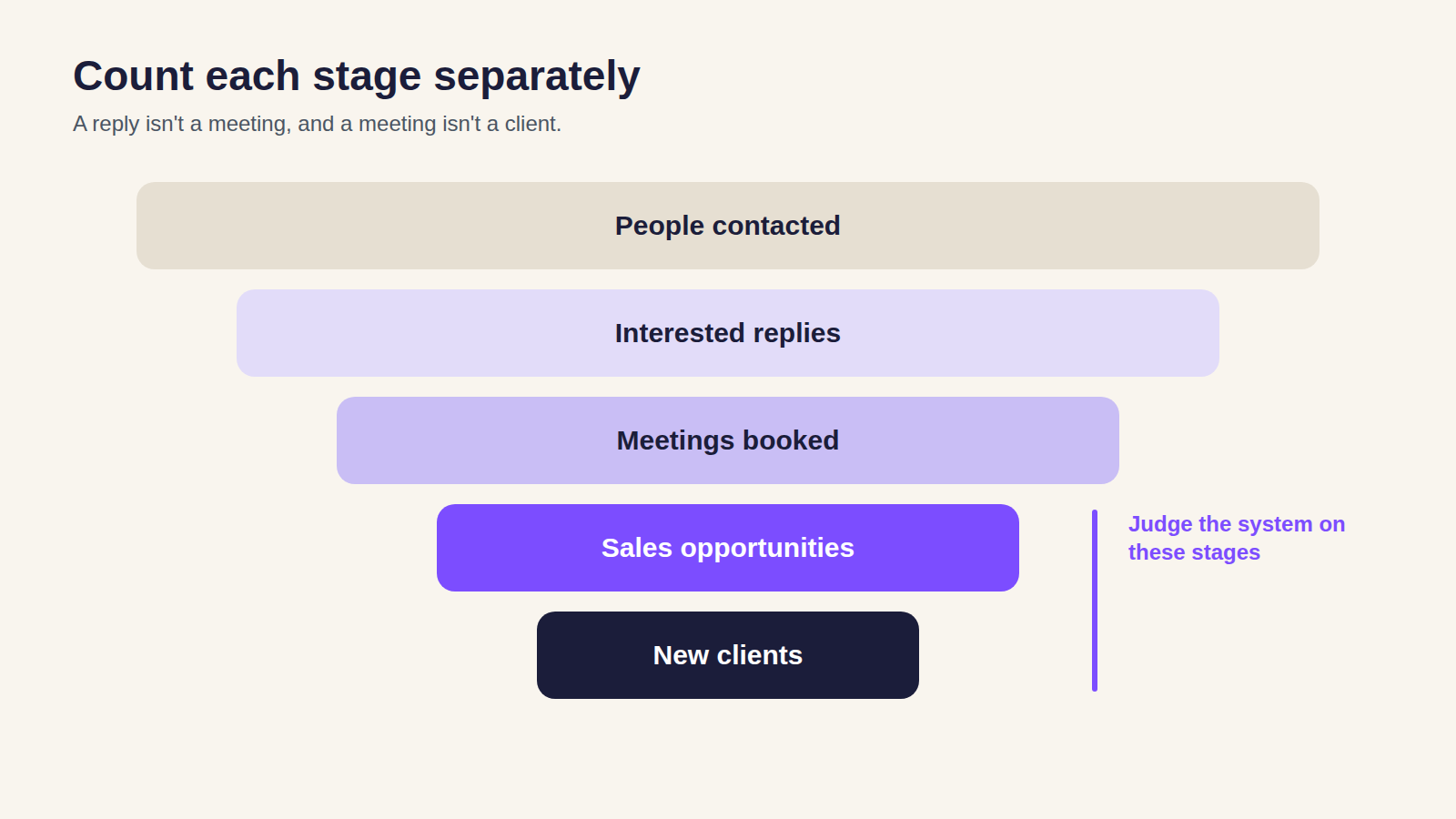
Count each stage separately: people contacted, interested replies, meetings booked, sales opportunities and new clients. Don't roll them into one impressive total.
In the software campaign above, there were 98 replies in total, and 37 were interested. An out-of-office or a polite "no thanks" isn't a sales opportunity. Counting only replies would have made the campaign look better than it was; counting only meetings wouldn't show where they came from.
Judge the system on opportunities and clients, and give it time to reach them. Every few weeks, feed what you learn on sales calls back into the list and the message. That loop is what makes it repeatable.
What are the rules for cold email and LinkedIn outreach in Australia?
Cold email to Australian businesses is covered by the Spam Act 2003. The Australian Communications and Media Authority (ACMA) enforces it. In short:
- You need consent. For business outreach, the Act lets you infer consent when a person's work email address has been conspicuously published (on their company website, for example), the publication isn't accompanied by a statement that they don't want unsolicited commercial messages, and your message is relevant to their work role or functions. An address on a list someone sold you doesn't give you consent by itself, and you're still responsible for checking it.
- Identify yourself. Each message must accurately identify your business and include contact details that stay correct for at least 30 days after you send it.
- Make it easy to unsubscribe. Every commercial message needs a simple way to opt out that's free, works for at least 30 days, and is honoured within five working days.
- Don't use harvested lists. Using or supplying lists made with address-harvesting software is against the rules.
On LinkedIn, follow LinkedIn's User Agreement and Professional Community Policies, stay within the invitation limits above and keep your messages relevant to the person.
This is a summary, not legal advice. ACMA's guidance on avoiding spam is the place to check the detail.
When is this the wrong approach?
This works best when you can describe a client worth winning, your offer solves a problem buyers recognise and each new client is worth enough to justify the setup. It's a harder fit when:
- Nobody has time to take the calls. If interested prospects wait days for an answer, the system stalls.
- The offer isn't proven yet. Test one segment and one offer small first. One client closed two new clients from four sales calls in an initial tester campaign, then expanded the outbound program internationally.
- The reachable market is tiny. With a few dozen possible clients, personal introductions may suit you better than a sequence.
- You need a guaranteed number of clients by a fixed date. No honest outbound system can promise that.
Whether you run it yourself, give it to someone in your team or hand it to an outside team is a separate decision. The six parts stay the same.
Frequently asked questions
How many meetings can a system like this produce?
It depends on your market, offer and how quickly replies are handled, so nobody credible can promise a number. As a reference point, our LinkedIn lead generation page says a typical LinkedIn outbound month can produce around four qualified meetings and one new client once the targeting and follow-up are working. Judge it on clients won, not on meetings alone.
How long does it take to get the first meetings?
For cold email, the sending setup comes first. For our managed outbound program, setup and warm-up typically take around 10 to 15 business days, depending on the infrastructure, targeting and approvals. Once sending begins, results depend on your market, offer and sales cycle.
Is appointment setting the same as lead generation?
Appointment setting is the step where an interested reply becomes a booked meeting. Lead generation covers the work before it: who to contact, what to say and how to follow up. If you pay only for booked appointments, the incentive leans towards more meetings rather than better ones, so check how a provider defines a qualified meeting before you start.
Next step
If you want more sales conversations but don't want to add a salesperson yet, start with Step 1 this week: write down who you want as clients and who should come off the list. If you'd like a second opinion on your market, offer and follow-up before you build the rest, book a strategy session. We'll talk through whether targeted outreach makes sense for your business and where we'd start.