
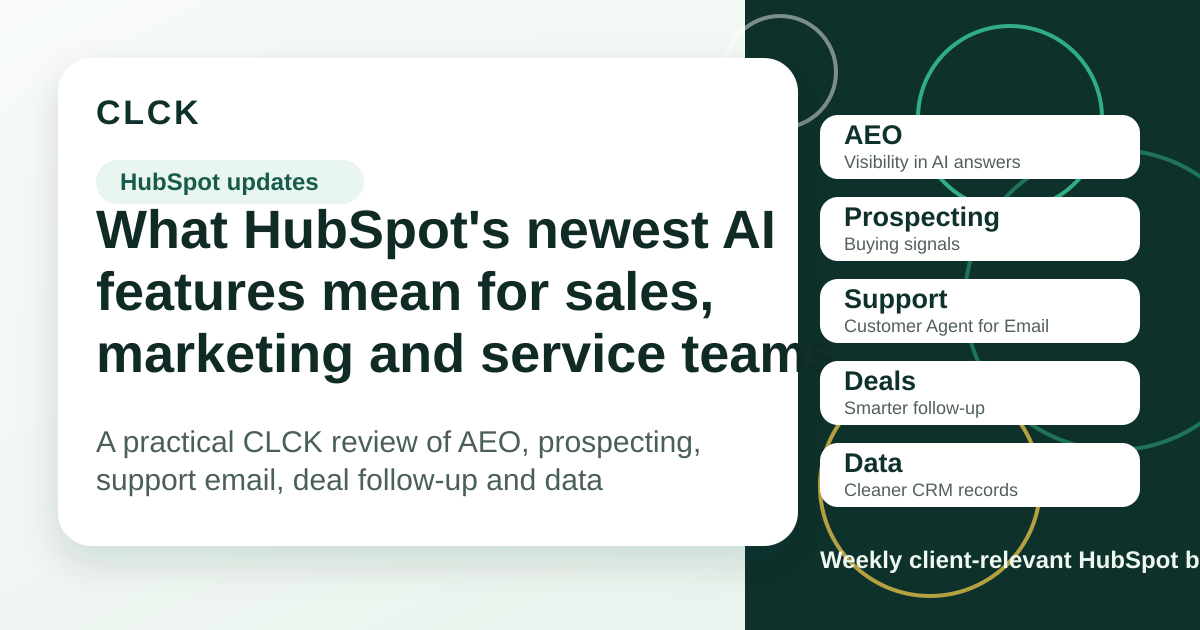
The pattern in this week’s HubSpot updates is clear: AI is moving into the handoff points where work normally slows down.
That means finding ready-to-buy accounts, checking whether your brand shows up in AI answers, updating deals after meetings, answering routine support emails and improving messy CRM data.
None of this should be switched on just because it’s new. The value is in choosing the parts that solve a real operational gap, then setting clear review rules before automation touches customers, reps or reporting.
1. Answer Engine Optimisation, or AEO
What changed
HubSpot is now talking more directly about Answer Engine Optimisation, which is the work of making your content easier for AI answer engines to understand, trust and cite.
On HubSpot’s What’s New page, AEO is described as a way to track how often your brand appears when people ask AI answer engines, such as ChatGPT and Gemini, for recommendations. HubSpot also says it can show how competitors appear in those answers and give content recommendations when your brand is missing.
The supporting Knowledge Base article frames AEO more broadly: content structure, direct answers, schema, consistent messaging, authority and enough content depth for answer engines to read and trust. Source links: HubSpot What’s New; HubSpot AEO Knowledge Base.
Why it matters
This is not just an SEO side note. More buyers are asking AI tools for shortlists, comparisons and recommendations before they ever fill in a form.
For most businesses, the practical question is simple: if a buyer asks an AI tool about your category, does your brand have clear enough content to be found, understood and recommended?
Who should care
Marketing teams, content teams, founders and anyone responsible for organic demand should care first.
This is especially relevant if you already rely on search, comparison content, industry pages, partner pages or educational articles to help buyers choose you.
What to do next
Start by listing the questions a serious buyer would ask before choosing a provider like you.
Then review whether your site answers those questions clearly, with plain language, structured headings, strong examples and current proof. If the answer is buried in vague service copy, an AI answer engine may miss it or prefer a competitor with clearer content.
2. Prospecting Agent
What changed
HubSpot’s Prospecting Agent is being positioned as a more complete prospecting workflow. HubSpot says it can monitor accounts for buying signals, such as funding rounds and job postings, source contacts through connected providers such as ZoomInfo and Apollo, and draft personalised outreach for rep review before anything is sent.
The Knowledge Base article for buying signals in Prospecting Agent notes that the buying signals and contact sourcing capability is currently in beta. It also points to requirements around Super Admin setup, AI settings, prospecting permissions and HubSpot Credits for generated outreach. Source links: HubSpot What’s New; Prospecting Agent buying signals Knowledge Base.
Why it matters
This could reduce the time reps spend jumping between account lists, news, data providers and email drafts.
The risk is that poor account segments or vague signal choices will create more noise, not better pipeline. Prospecting automation only works when the target market, trigger events, personas and sales message are already clear.
Who should care
Sales leaders, revenue teams, SDR managers and founders doing account-based selling should review this.
It is most relevant when you have a defined ideal customer profile, clear trigger events and reps who already follow a consistent outreach process.
What to do next
Before turning it on, define one narrow play.
Pick the target company segment, the buying signals that actually matter, the personas to contact, the selling context and whether every message must be reviewed before sending. Also check expected HubSpot Credit usage before the team starts scaling plays.
3. Customer Agent for Email
What changed
HubSpot is promoting Customer Agent for Email as a way to handle routine email support inside Help Desk while the team focuses on more complex work.
On the What’s New page, HubSpot says the agent can draw on tickets, purchases and customer interactions so responses are based on the customer context, not a generic template. HubSpot also highlights controls such as starting with a percentage of conversations, limiting coverage to specific hours, or reviewing responses before they send.
The broader Knowledge Base guidance for Customer Agent stresses a controlled rollout: define the support goal, review existing conversations, identify high-volume repetitive queries and set clear handoff rules for complex or sensitive issues. Source links: HubSpot What’s New; Customer Agent Knowledge Base.
Why it matters
Email support is where small delays become customer frustration.
This update is worth watching because it gives teams a way to automate the repetitive questions without pretending every issue should be handled by AI. The setup quality matters more than the feature itself. Weak help content, unclear escalation rules or messy order data will create weak answers.
Who should care
Service teams, ecommerce teams and businesses with repetitive support emails should care.
It is less urgent for teams with low support volume, complex case-by-case support or no clear knowledge base yet.
What to do next
Review your last 100 support emails and sort them into two groups: repetitive questions the agent could answer, and sensitive or complex issues that need a person.
Then check whether your help content and CRM data are good enough for an agent to answer safely. If not, fix the content and escalation rules before adding automation.
4. Smart Deal Progression
What changed
Smart Deal Progression is aimed at the messy period after a sales meeting, when reps need to update the CRM, send a follow-up and keep the deal moving.
HubSpot says it can analyse a meeting transcript alongside deal history, emails and notes to suggest CRM updates, draft follow-up emails and surface next steps such as sending a proposal or booking the next meeting.
The Knowledge Base article describes this as a beta capability connected to meeting and call transcripts. It says reps can review, edit, approve, reject or apply recommendations, and notes requirements around seats, connected calendars, Notetaker or transcript integrations and possible HubSpot Credit use for certain custom property capture. Source links: HubSpot What’s New; recommended next steps for deals Knowledge Base.
Why it matters
Most pipeline problems are not caused by a lack of CRM fields. They happen because the conversation is not turned into clear next steps while the context is fresh.
If this works well, it could improve follow-up speed, CRM accuracy and deal visibility. If it is set up loosely, it could add bad suggestions to an already messy pipeline.
Who should care
Sales teams with regular discovery calls, proposal meetings, handover meetings or long deal cycles should review this.
It is also relevant for managers who struggle to trust pipeline notes because updates are late, incomplete or inconsistent.
What to do next
Decide which deal properties are safe for AI-assisted suggestions and which must stay manual.
Start with review-required settings, not automatic updates. Check transcript quality, meeting naming, call ownership and whether the team has a simple follow-up standard before relying on AI suggestions.
5. Data Enrichment
What changed
HubSpot’s Data Enrichment can fill or refresh contact and company data using HubSpot’s commercial dataset, which HubSpot says combines public sources, third-party vendors and internet data.
HubSpot describes automatic enrichment for new records and continuous enrichment for existing records, with existing records refreshed monthly as new data becomes available. The Knowledge Base also notes that related tools, such as buyer intent and smart properties, can have separate credit implications. Source links: HubSpot What’s New; Data Enrichment Knowledge Base.
Why it matters
Bad CRM data quietly breaks everything else: routing, segmentation, reporting, lead scoring, personalisation and follow-up.
Enrichment can help, but it is not a governance replacement. You still need to decide which fields matter, how enriched data is used, and which workflow decisions should wait for human review.
Who should care
CRM admins, marketing ops, sales ops and teams with incomplete contact or company records should review this.
It is especially relevant if forms are too long, lead routing depends on company size or industry, or reporting is weakened by missing company data.
What to do next
Audit the fields that actually drive decisions: company size, industry, location, lifecycle stage, lead source and routing criteria.
Then test enrichment on a small sample before updating workflows or reports. Do not let enriched data change routing, scoring or attribution until the team trusts the field quality.
CLCK take
The bigger story is that HubSpot is moving AI into operational work, not just content generation.
In a real portal, we would not start by asking which new feature to enable. We would review:
| Review area | What we would check |
|---|---|
| Workflow fit | Where sales, marketing or support work is genuinely slowing down |
| Data quality | Whether contact, company, ticket and deal records are clean enough for AI assistance |
| Review gates | Which actions can be suggested, which can be drafted and which should never auto-send |
| Credit usage | Where HubSpot Credits may be consumed and who owns usage monitoring |
| Content quality | Whether support content, website pages and sales context are strong enough for AI to use |
| Permissions | Whether only the right users can configure or approve AI-assisted actions |
| Reporting impact | Whether new automation will improve reporting or quietly distort it |
Who should act now
Act now if you already have clear segments, strong content, consistent sales or support processes, and an owner who can monitor the rollout.
These teams can use the new tools to reduce admin drag and speed up follow-up without losing control.
Who can ignore it for now
Ignore it for now if your CRM data is messy, your support content is thin, your sales process varies by rep, or no one owns HubSpot governance.
In that case, the next best step is not AI. It is cleaning up the process the AI would depend on.
If you want to review which of these HubSpot updates are worth enabling in your portal, book a strategy session with CLCK: https://www.clck.com.au/book-a-strategy-session/